
Agent Command
See what your AI agents are really doing.
A Windows desktop app for supervising real Claude and Codex coding agents, shown as a living campus alongside ordinary lists, reports and controls.
What Agent Command is
Agent Command is a Windows desktop application for people who run AI coding agents. It shows what Claude and Codex agents are actually doing as a small operations campus — an overseer tower, a reactor per AI provider, seven departments with work bays for projects, and drones that fly to the bay they are working in — and gives the same information as plain lists, reports and controls for anyone who prefers them. Nothing on screen pretends to be work: a worker moves because its assignment changed, a desk lights because a provider process is running, and the one decorative effect is spread evenly so it cannot be mistaken for activity. Version 0.2.0 has eight themes, a connection centre, folder permissions with Git safety, system resources, a first-run set-up wizard and a STOP ALL control. It is built with Tauri, React, TypeScript and Pixi.js, with campus models made in Blender, and its own documentation lists plainly what is not finished yet.
What it does
- A living campus view of real agent activity, driven by recorded events
- Plain lists, reports and controls for the same information
- One reactor per AI provider; drones show which provider each agent uses
- Folder permissions with Git safety
- A Needs You dock for sign-in requests, and a STOP ALL control
- First-run wizard covering tools, folders, permissions, theme and accessibility
Getting Agent Command
Agent Command is still in development and is not distributed yet. It is roughly 45% of the way to a first public release.
At a glance
- Status
- Active Development
- Version
- 0.2.0
- Runs on
- Windows
- Offline use
- Needs a connection
- Last updated
Privacy
Runs on your own PC. The AI agents it supervises talk to their providers through each provider's own tools and accounts; Agent Command adds no analytics.
Permissions
This project requires no special permissions.
Technical details
Technical details
Built with
How it is put together
- Everything shown on the campus is driven by recorded events: movement, lights and sparks only appear where real activity was logged.
- Each AI provider is supervised through its own command-line tool and sign-in; the app adds no analytics of its own.
- Folder access is granted per folder with Git safety checks, and a STOP ALL control halts every agent at once.
Development workflow
Built through Claude Code.
Timeline
- Version 0.2.0
Builds and runs; both providers have done real work through it, with known limitations documented.
Accessibility in the app
- Every campus view has an equivalent plain list, report and control
- Eight themes
- Accessibility choices in the first-run wizard
Related projects
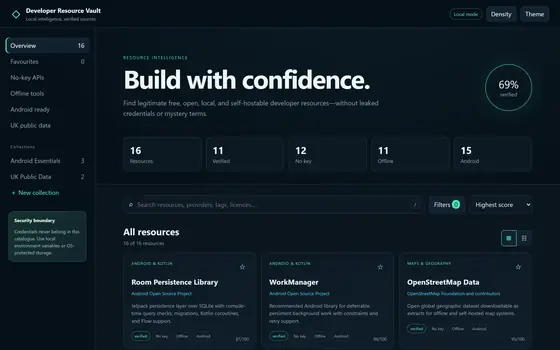
Developer Resource Vault
An offline catalogue of free developer resources that refuses to guess.
ReleasedWeb · Desktopv1.0.0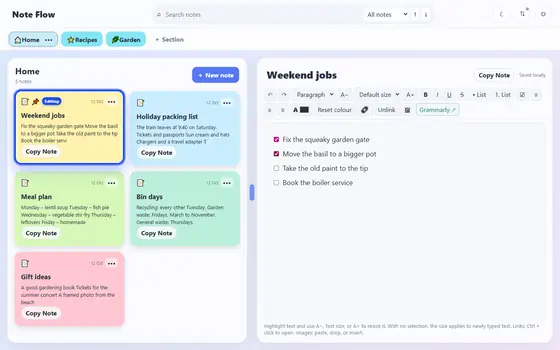
Note Flow
A private Windows notes app that starts empty and stays offline.
ReleasedWindows · Desktopv4.7.1