
Note Flow
A private Windows notes app that starts empty and stays offline.
A lightweight desktop notes application with sections, pastel cards, rich-text editing and rolling local backups. No account, no cloud, no telemetry.
Worth knowing
Personal builds are unsigned, so Windows may show an unknown-publisher warning on installation.
Screenshots
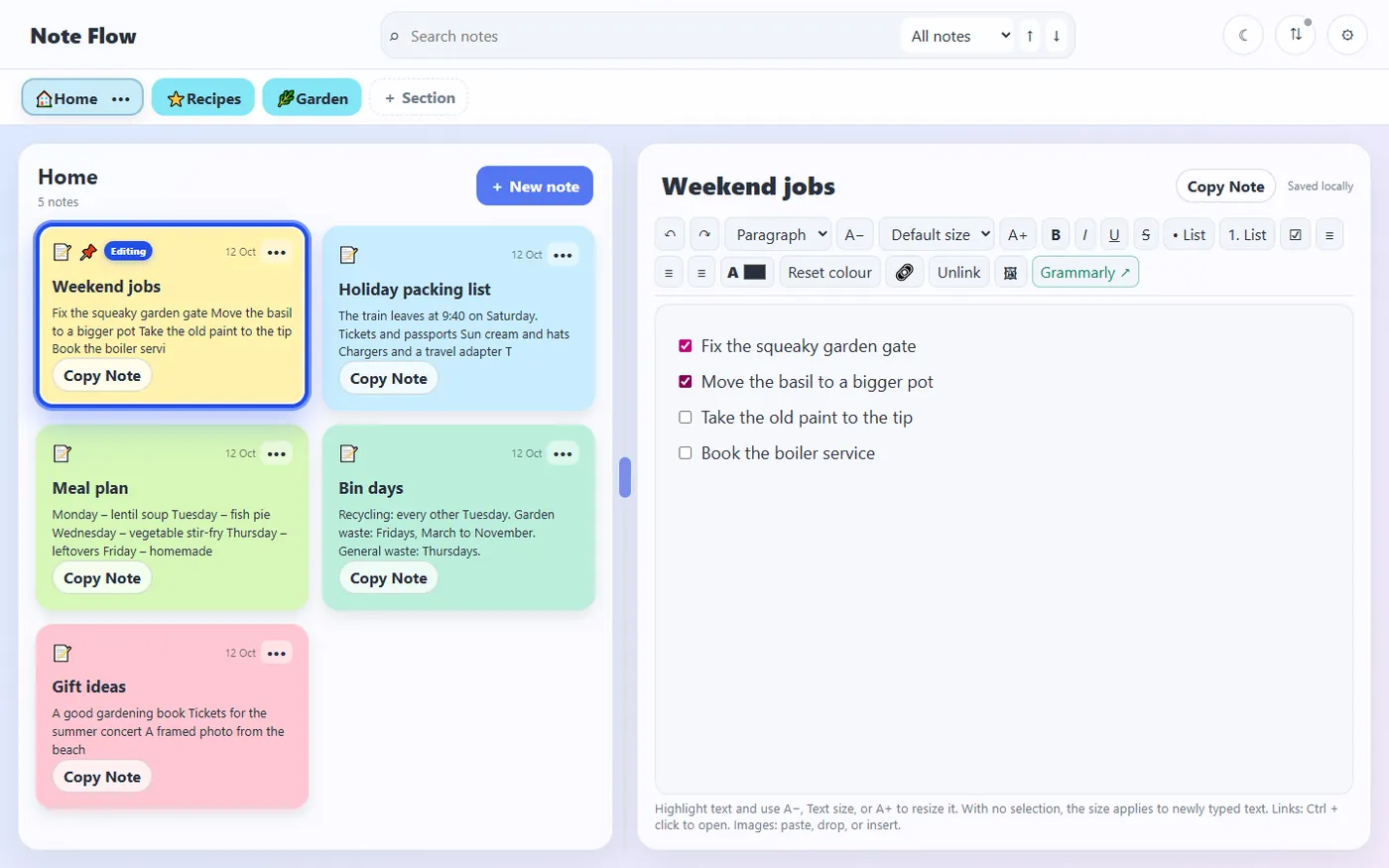
Captured from version 4.7.1 running on Windows. Note Flow starts empty, so the notes are samples typed in for the screenshots.
Showing screenshot 1 of 3
What Note Flow is
Note Flow is a private Windows notes application built for people who want their notes to be files on their own machine. It starts empty — nothing is seeded over your data — and works entirely offline. Notes live on unlimited pastel cards inside sections you create, rename, colour and reorder, with pinning, duplication, archiving and drag ordering throughout. The editor is visual rather than syntactic: spellcheck, selection-aware formatting, text colour, safe working links, inline local images, autosave, undo and redo, with formatting symbols never shown. Live partial search runs across the current note, the current section or everything, with snippets, match counts and highlighting. Rolling local backups, manual backup and restore, a personal dictionary and a one-click portable HTML export round it out. It can also keep its notes in step with the NoteFlow area of Tandem, in both directions, through a shared folder — with no password held and nothing uploaded.
What it does
- Sections you create, rename, colour, duplicate and reorder by dragging
- Unlimited pastel note cards with pinning, duplication, moving and archiving
- Visual rich-text editing with spellcheck, inline local images, autosave, undo and redo
- Live partial search across one note, one section or everything, with highlighting
- Rolling local backups, manual backup and restore, and portable HTML export
- Two-way sync with the Tandem web workspace through a shared folder
- No account, cloud sync, telemetry, advertising or AI integration
It starts empty on purpose
No sample workspace, no onboarding content, nothing written over what you already have. The first thing you see is your own first section. That sounds like a small decision, but it is the difference between a tool you trust with real notes and one you try once and abandon.
The parts that get used every day
All shipped in the current 4.7.1 build.
Search that finds partial words
Across the current note, the current section or everything, with snippets, match counts, next/previous navigation and exact text selection.
Backups that roll
Ten newest snapshots kept automatically, with manual backup and restore alongside them.
Portable export
One click writes a self-contained HTML folder you can read anywhere, with no application needed.
Personal dictionary
Words added through spellcheck are stored locally and managed from settings.
Sync without a server
Note Flow and Tandem share a folder. Four JSON files carry everything: what each side holds, what the other received, and what changed. Note Flow uploads nothing and holds no Tandem password. A change arriving from Tandem is applied only to a note unchanged here since that change began, never to the note open in the editor, and the library is backed up first. A note edited in both places is kept twice rather than losing a version.
Getting Note Flow
Note Flow 4.7.1 is finished and feature-complete. There is no store listing yet, so there is no download button here — one will appear by itself the moment a real link exists. This site never publishes a placeholder download.
At a glance
- Status
- Released
- Version
- 4.7.1
- Runs on
- Windows, Desktop
- Offline use
- Works offline
- Last updated
Privacy
Local-only. Notes, images, search data and backups stay in the application's private user-data directory. There is no account, telemetry, cloud sync or AI service.
Permissions
This project requires no special permissions.
Technical details
Technical details
Built with
How it is put together
- Notes, settings, images, search indexes and backups are stored locally in SQLite — the app starts empty and stays offline.
- A packaged Windows build is produced from the same source through an Electron packaging step.
Development workflow
Built through Claude Code.
Timeline
- Version 4.7.1
Current build of the private Windows notes application.
Accessibility in the app
- Light and dark modes
- Adjustable text sizing
- Reduced-motion option
- Keyboard navigation with tooltips
- Resizable panes
Related projects
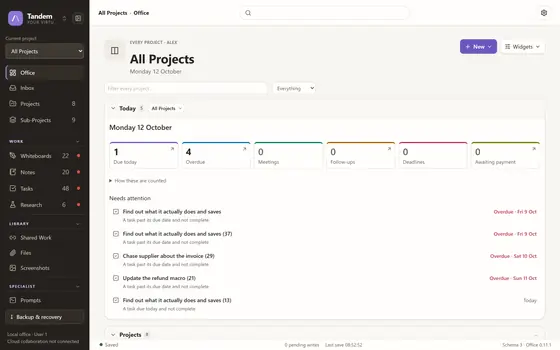
Tandem
A local-first virtual office for two people who work closely.
Active DevelopmentWebv0.11.1