
Tandem
A local-first virtual office for two people who work closely.
A progressive web app that keeps projects, notes, whiteboards, tasks, files and a small CRM in one place — working from the browser's own storage first.
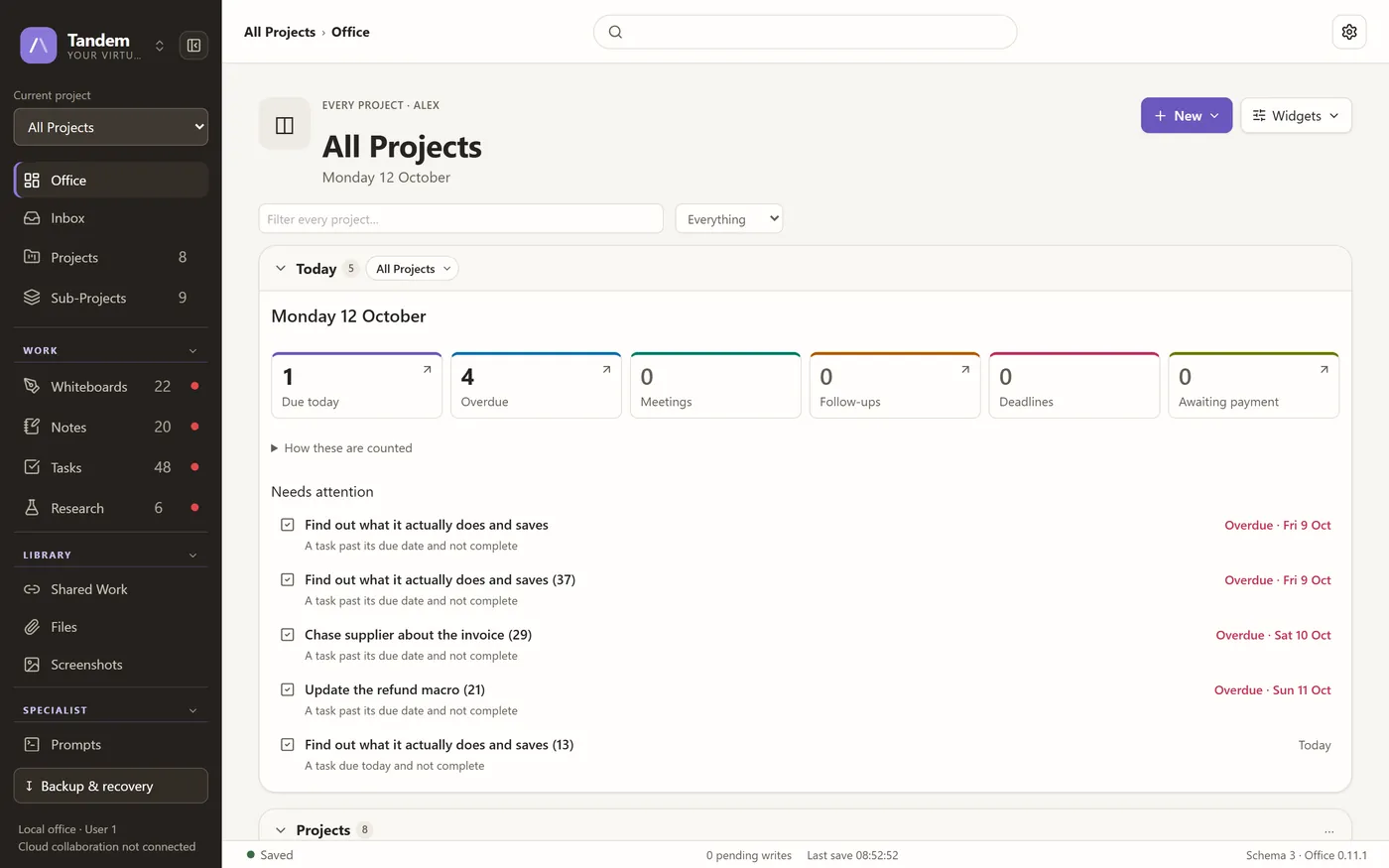
Screenshots
Captured from version 0.11.1 running on this machine, filled with the project's own demo data and sample names rather than a real office.
Showing screenshot 1 of 5
What Tandem is
Tandem is a local-first virtual office, built and tuned for two people working closely rather than for a large organisation. Projects are the organising model: choosing a project changes the Office, every list, search and everything you create. It holds three areas — Tandem itself for projects and work, a CRM for contacts, follow-ups and money, and a NoteFlow space that stays in step with the Note Flow desktop app. The office is arranged by the person using it, with widgets that can be carried, resized, collapsed, removed and restored across saved layouts. Collaborative rich documents run on Tiptap over Yjs, whiteboards work like sheets in a workbook, and 31 token-built themes are each contrast-checked by a test. Everything works from IndexedDB with no account; Firebase sync is an optional adapter, and when it is not configured the app says so accurately rather than pretending to be connected.
What it does
- Projects and sub-projects as the organising model for every list, search and creation
- An Office you arrange yourself, with saved layouts kept separate from content so a reset cannot lose work
- Collaborative rich documents built on Tiptap and Yjs
- Whiteboards with pages, templates, frames, auto-layouts and PNG/SVG export
- Tasks in board, list and calendar views, with dependencies and checklists
- A small CRM for contacts, follow-ups and money
- 31 design-token themes, each contrast-checked by an automated test
- Recycle bin, revision history, hourly checkpoints and workspace exports
Local-first is a decision, not a fallback
Tandem opens and works with no network at all, because the records genuinely live in the browser's storage rather than in a cache waiting for a server. Firebase sync is an adapter you switch on. When it is not configured the interface says cloud collaboration is disconnected — which is more useful than a spinner that never resolves.
What is in the workspace
Each area is a real, shipped part of the current build.
Projects
Colours, icons, sub-projects, progress counts, archiving and safe deletion. Every card shows where it lives.
The Office
Widgets arranged per project, six layout presets, a Customise mode and a layout lock.
Notes and documents
Ten templates that preview what they create, nested folders, and tags that filter everywhere.
Whiteboards
Pages with their own size and background, eight templates, distinct drawing tools and export.
CRM
Contacts, follow-ups and money, kept beside the work rather than in a separate tool.
Recovery
Recycle bin, revision comparison and restoration, hourly checkpoints and storage health.
It talks to the desktop notes app
The NoteFlow area stays in step with Note Flow, the Windows desktop application, through a shared folder rather than a server. Four JSON files are the whole protocol. A change is only applied to a note that has not been edited since the version that change started from, never to the note currently open in the editor, and the library is backed up before anything is applied — so a note edited in both places is kept twice rather than losing a version.
Getting Tandem
Tandem is still in development and is not distributed yet. It is roughly 80% of the way to a first public release.
At a glance
- Status
- Active Development
- Version
- 0.11.1
- Runs on
- Web
- Offline use
- Works offline
- Last updated
Privacy
Work is stored in the browser's own storage on the device you use. Cloud sync is optional; without it configured, nothing leaves the machine.
Permissions
This project requires no special permissions.
Technical details
Technical details
Built with
How it is put together
- Local-first: the progressive web app works from IndexedDB, with Firebase sync as an optional adapter rather than a requirement.
- Three areas — projects and office, a CRM, and a NoteFlow space that keeps in step with the desktop notes app.
- Collaborative editing uses Tiptap documents over Yjs, tuned for two simultaneous collaborators.
Development workflow
Built through Claude Code.
Timeline
- Version 0.10.3
Four configurable profiles, CRM and NoteFlow sync in place.
- Version 0.11.1
Long lists draw a page at a time, and today's counts open the lists they count.
Accessibility in the app
- 31 themes built from design tokens, every one contrast-checked by an automated test
- Motion, density and focus-mode preferences
- Keyboard shortcuts with a shortcut reference (Ctrl + /)
- A command palette reachable with Ctrl + K
- Tab and Shift + Tab step through objects on a whiteboard page
Related projects
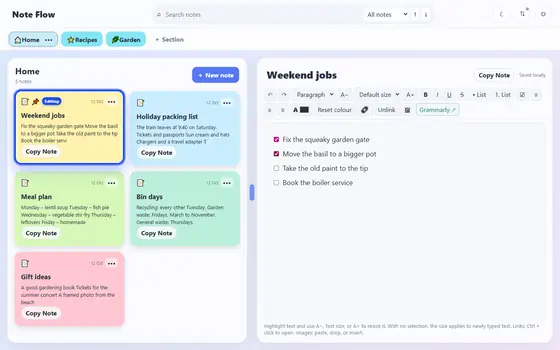
Note Flow
A private Windows notes app that starts empty and stays offline.
ReleasedWindows · Desktopv4.7.1