Progress Universe
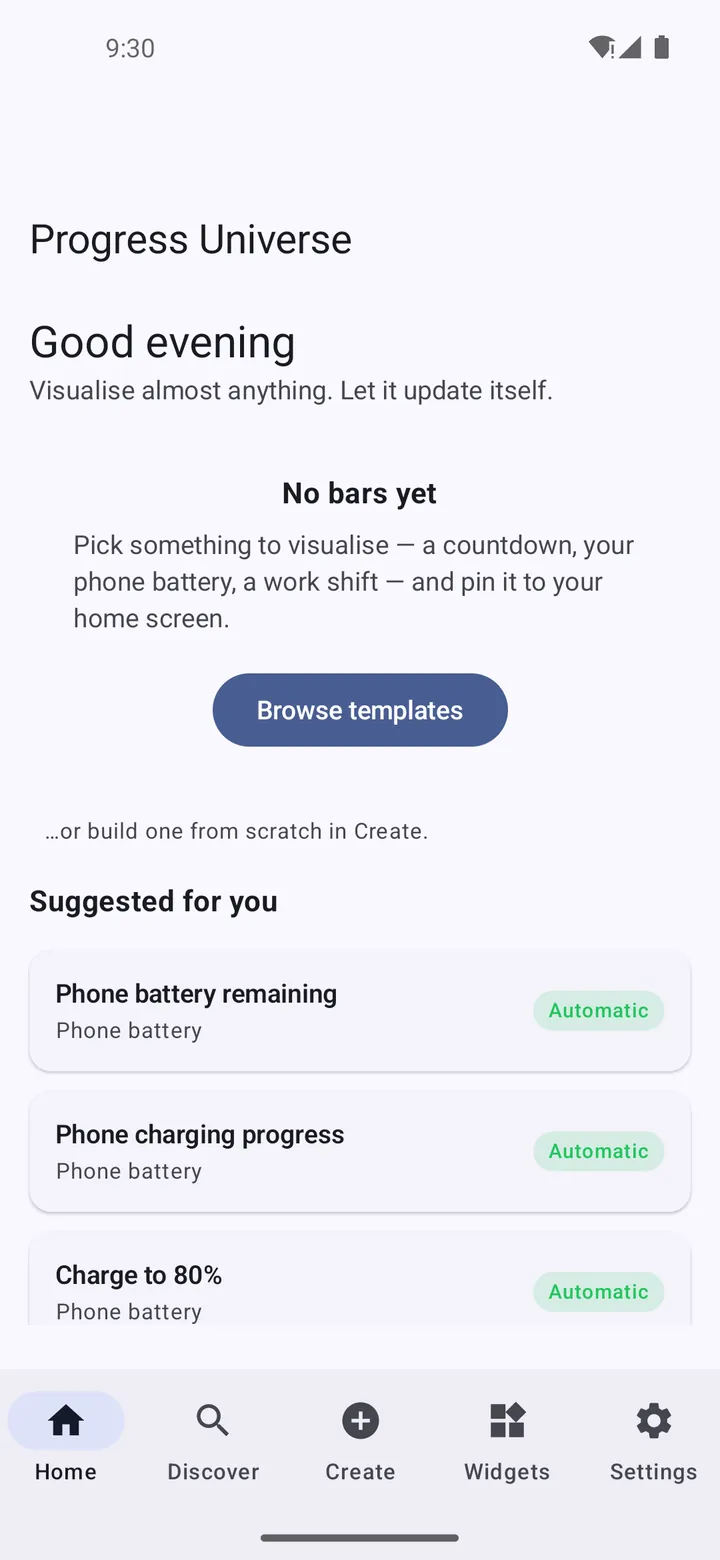
Visualise almost anything. Let it update itself.
A universal progress-widget engine that turns countdowns, timers, shifts and journeys into attractive, automatically updating home-screen widgets.
Worth knowing
Hardware and account-dependent progress sources (wearables, Bluetooth accessories, Health Connect and similar) are a documented roadmap, not shipped features of the current build.
Screenshots
Captured from the debug build running on an Android 14 emulator.
Showing screenshot 1 of 5
What Progress is
Progress Universe is built on one idea: almost everything measurable in daily life is a progress bar waiting to happen. The year, your work shift, a slow cooker, a birthday countdown, a savings goal. Instead of hundreds of hard-coded widgets, Progress Universe provides one universal engine — pick a source, pick a style, place the widget, and it keeps itself up to date. The current build implements the core engine and time-based sources; hardware and account-dependent connectors are an honest, documented roadmap rather than a promise on a box.
What it does
- One universal engine instead of hundreds of fixed widgets
- Time, date, countdown, shift and cooking-timer sources
- Multiple visual styles per widget
- Automatic self-updating without draining battery
- Honest roadmap: unshipped connectors are labelled as such
The year is 54% complete
Numbers become motivating when you can see them move. Progress Universe puts the movement on your home screen — quietly, precisely and in a style you chose.
Getting Progress
Progress Universe is still in development and is not distributed yet. It is roughly 45% of the way to a first public release.
At a glance
- Status
- Active Development
- Runs on
- Android
- Offline use
- Works offline
- Package
- com.progressuniverse.app
- Last updated
Privacy
Progress Universe computes progress on your device. Widget configurations and histories are stored locally; the current build has no network features.
Permissions
- Notifications
- Optional alerts when a tracked progress reaches milestones you set.
- Physical activity (optional)
- Declared for the step-based progress source. Only used if you create a widget that counts steps.
Technical details
Technical details
Built with
How it is put together
- A widget engine evaluates progress definitions as data, so a new bar type is content rather than code.
- The project's own README is explicit that hardware and account connectors are roadmap, not implemented.
Development workflow
Built through Claude Code and Codex.
Accessibility in the app
- Every widget exposes its value as readable text
- Progress never communicated by colour alone